
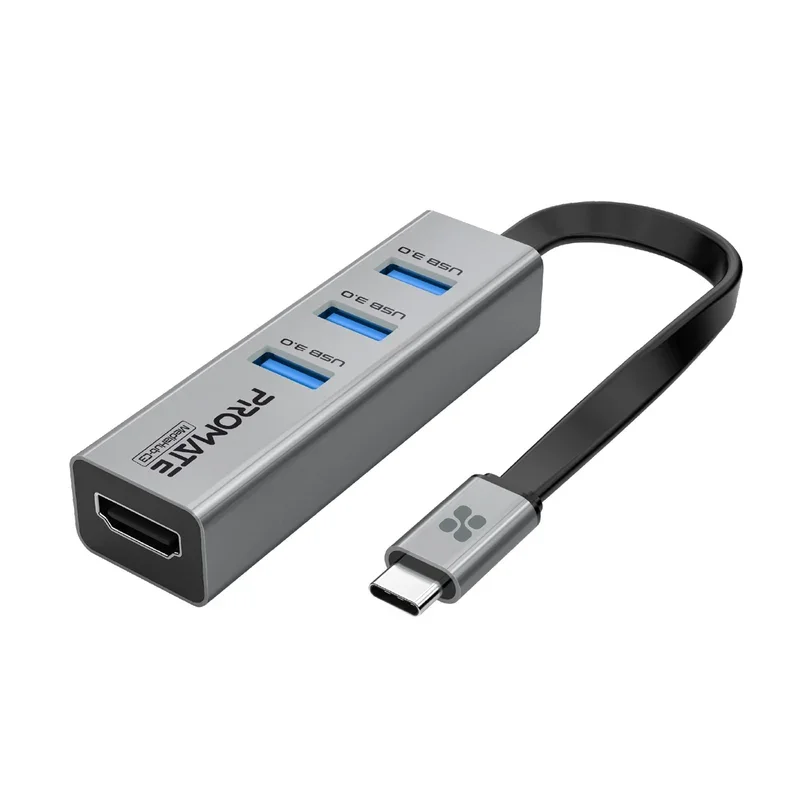
Promate MediaHub-C3 4K Vivid Clarity USB-C to HDMI Adapter Grey
The Promate MediaHub-C3 4K Vivid Clarity USB-C to HDMI Adapter Grey is designed to connect a compatible USB-C laptop to an external monitor or display, allowing... Read more
Same-day dispatch before 6:00 PM Dubai time
Description
The Promate MediaHub-C3 4K Vivid Clarity USB-C to HDMI Adapter Grey is designed to connect a compatible USB-C laptop to an external monitor or display, allowing you to enjoy your favorite TV shows, movies, photos, and files on a larger screen with 4K high-resolution clarity. Its plug-and-play functionality makes setup simple, with no complicated drivers or installation required. The adapter also features USB 3.0 ports that support data transfer speeds of up to 5Gbps, helping you transfer HD movies, photos, and files quickly and conveniently.
Key Features
- 4K Vivid Clarity: Supports high-resolution display output for viewing movies, TV shows, photos, and other content on an external monitor.
- USB-C to HDMI Connectivity: Connects a compatible USB-C laptop to an external HDMI display for a larger viewing experience.
- Plug-and-Play Operation: Allows straightforward connection without complicated drivers or installation.
- USB 3.0 Ports: Provides USB 3.0 connectivity for transferring files and other data.
- Up to 5Gbps Transfer Speed: Supports data transfer rates of up to 5Gbps for quick file transfers.
- Convenient Media Sharing: Makes it easy to view and share HD movies, photos, and files on an external display.
- Versatile Display Use: Helps extend your viewing experience from a compatible laptop to a larger monitor or display.
Specifications
| Specification | Details |
|---|---|
| Brand | Promate |
| Model | MediaHub-C3 |
| Product Name | 4K Vivid Clarity USB-C to HDMI Adapter |
| Color | Grey |
| Adapter Type | USB-C to HDMI Adapter |
| Video Resolution | 4K High-Resolution Display |
| USB Ports | USB 3.0 Ports |
| Data Transfer Speed | Up to 5Gbps |
| Installation | Plug and Play; no complicated drivers or installation required |
| Connectivity | USB-C connection to HDMI display, with USB 3.0 ports |
| Compatible Devices | USB-C laptops; the connected device must support the required display output |